
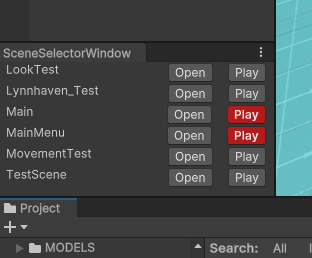
(TLDR at bottom)
I structured one of the games in such a way that most Unity scenes really only have the level information in them. Mostly environment models, but also pickups, enemies and such stuff, but no scripts regarding the player or any input or managers / controllers. Those were all in a “Main” scene that would be loaded first. This approach works well in keeping a clean architecture because it forces you to have the content of the main scene work with every single level and therefore independently of content within the level. The problem? You edit the level and everytime you want to test it, you have to unload it and play the Main scene instead. This is where this tool comes in.
Idea
The idea is simple: Create a tool that lets you play from the main scene, no matter what scene you are currently in. Luckily this isn’t as complicated as it might sound.
The Window
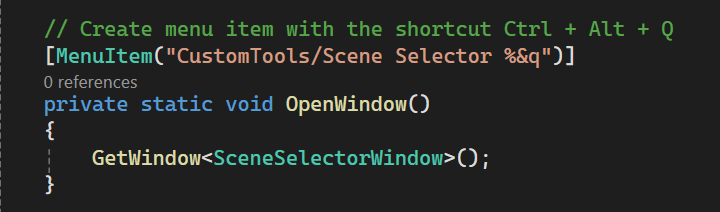
The big part is the editor window itself. It’s a simple class that inherits from EditorWindow. The most basic task is of course to have a window pop up when a menu item is clicked. To make it a bit more convenient I added a shortcut.
The next part was to create the UI and it’s a really simple one at the moment. For every single scene we build a row that has the scene name and two buttons. I used the CreateGUI function for that. In order to find the scenes I used the AssetDatabase.FindAssets function, which isn’t super performant, but since this is an editor window and a function that would get called only once, I figured it’s fine. At least you can specify a specific folder to search in. Then it’s a simple for-loop throughout the found scenes

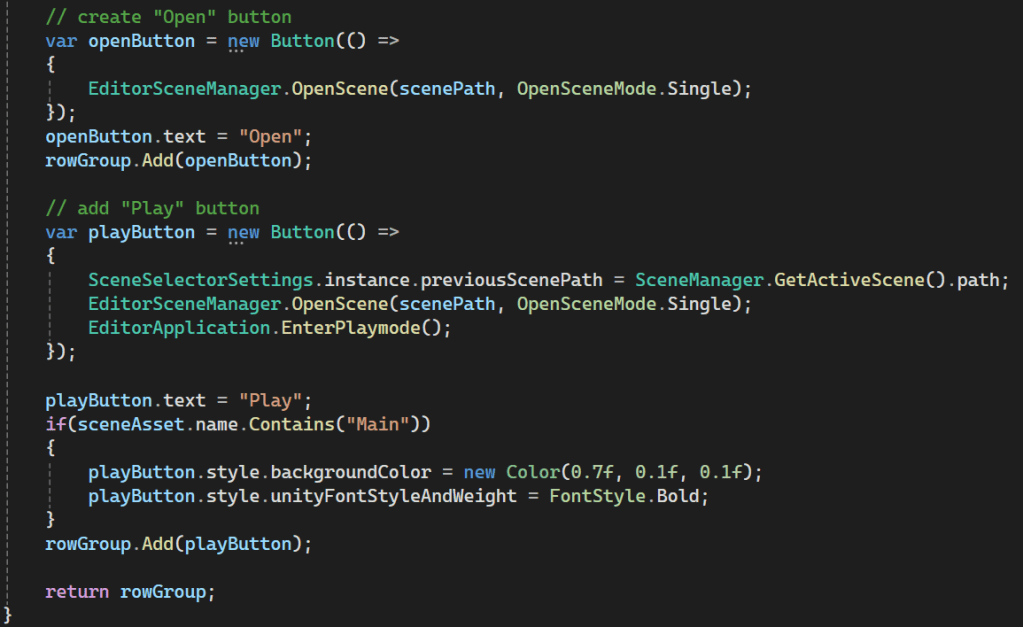
The “CreateSceneRow” function is a bit more complex but not complicated. First, the asset ID passed as a parameter is converted to an asset path (AssetDataBase.GUIDToAssetPath()). Then I create a group with certain parameters for the whole row and a label for the scene name.

Now the important things: the buttons. The first button is an “Open” button, since I wanted easy access to open any scene. Whenever the button is clicked I call the EditorSceneManager.OpenScene function. Simple. The second button is the Play button, and this one is a little bit trickier. simple part is to open the scene again and then immediately enter playmode by calling EditorApplication.EnterPlaymode(). The more difficult part is to return back to the scene that was originally opened. You will see that there is a line that saves the currently active scene. This will be explained in the next step. For now I continue with the CreateGUI function. The only other interesting thing is that I am coloring all play buttons whose according scene contains “Main” in red. In our project this was two scenes, the “Main” scene and the “MainMenu” scene.
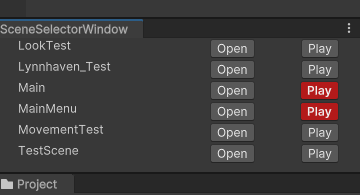
The result looks like this (And yes, the UI itself could be improved):
Returning to the Original Scene
When I’m in the “TestScene” and I press the Play button in the SceneSelector for the Main scene, the editor window will open that scene and enter the playmode. And then, when I leave playmode, it keeps the Main scene open. That’s not really helpful, and so I needed to figure out a way to return to the original scene (“TestScene”).
I ended up using something I hadn’t used up to that point, and that was a ScriptableSingleton. The Unity documentation tells us that it’s a class for storing Editor states and that serialized data survives assembly reloading within the editor. (Reference)
So that is pretty much what I have done. It has a single string that is supposed to store the path of the previously opened scene. Additionally, it saves all data when the object is destroyed.
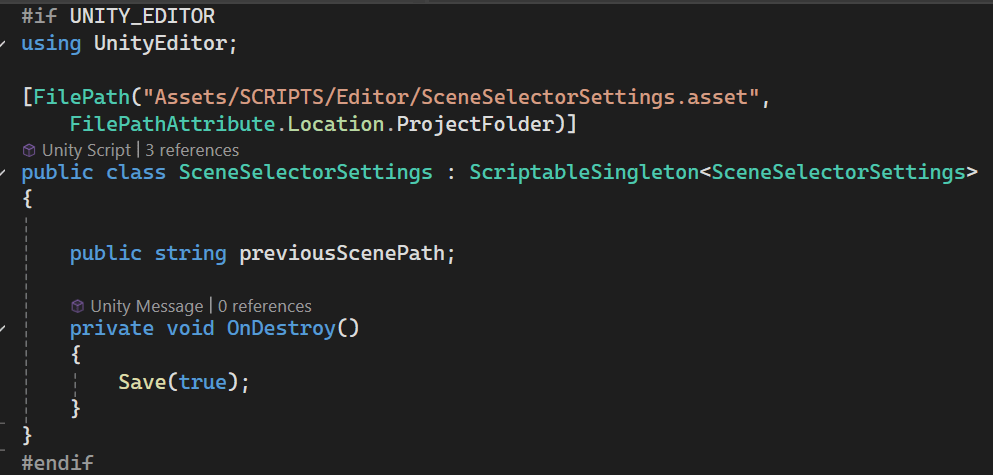
As seen in the screenshot where I added the buttons, when a scene is played it also stores the currently open scene in this ScriptableSingleton. All that’s left to do now is to add a few functions in the original editor window. I want the original scene to be loaded when I exit the playmode. For this we can use the event “playModeStateChanged”.
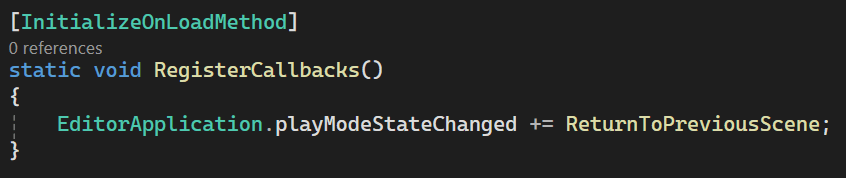
Once that happens, we check whether we entered the edit mode, and if so, we simply Open the scene saved within our ScriptableSingleton.

TLDR
I’ve created a tool to let developers open and play different scenes from a single editor window. The reason for that is because in the architecture of one of my project, levels are really only filled with things belonging to that level. The player, managers and such things are loaded in a “Main” scene that is supposed to be loaded first. One of the challenges was to load the previously open scene upon exiting the playmode, which I solved by using a ScriptableSingleton which survives assembly reloading.
 My Shelf of Stuff