
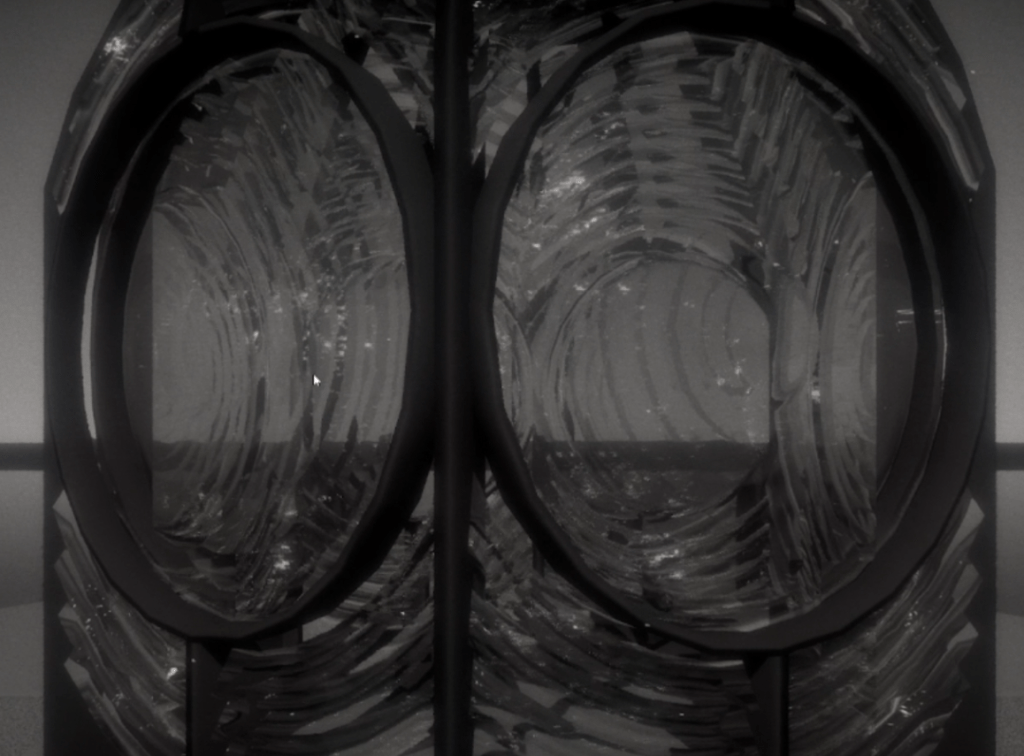
In this post, I will explain how I made the interaction of cleaning the lighthouse lens. The basis is a RenderTarget that gets painted and is then used to mask the dirt on the lens.
C++ Setup
Because this game was going to need a lot of objects that can be interacted with, I decided to make a C++ base class for Interactables, but it got a tiny bit more complex along the way. What I have now is an interface that is implemented by two classes. One of them deals with a simple interactable that can be clicked and then does something. The other is a more complex one I titled “CloseUpInteractable” because it is supposed to set the camera into a position and then have interactions through mouse clicks.
Here you can view the C++ code
The interface IInteractable:

The SimpleInteractable (really just an empty class for Blueprints to inherit from):

The CloseUpInteractable:
Blueprint Setup
I created a blueprint that inherits from CloseUpInteractable and added the mesh for the lighthouse.
Regarding logic, the first step was to make a line trace from the camera to where the mouse hits. This needs to be done only when the mouse button is pressed. Then we take the camera position and calculate the end point of the trace, and yes I know certain things could be cashed here.
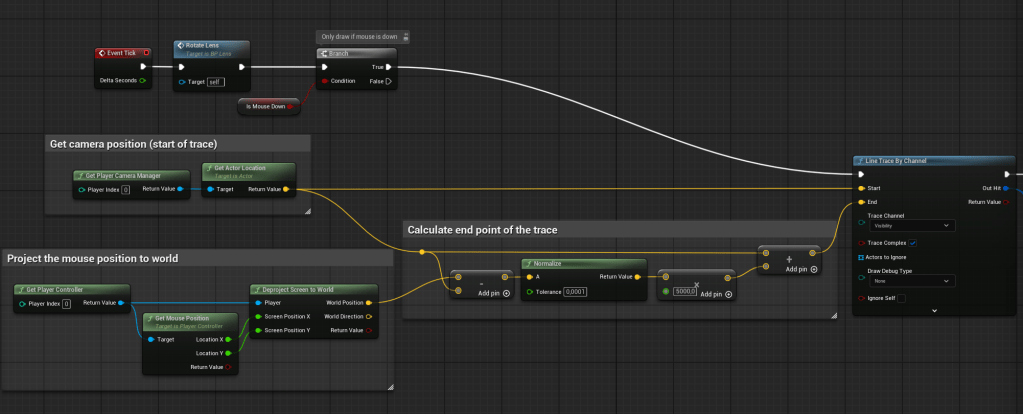
Then we do the line trace and find the collision UV, which we feed into a custom DrawBrush function.

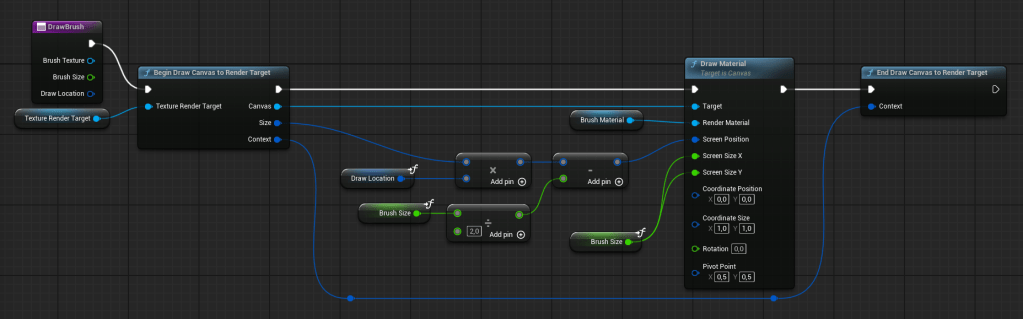
The function takes a Rendertarget and begins the Draw. The Brush Material is a simple Material that has a brush stroke mask in the alpha channel. The DrawLocation is important as this is the UV position where the line trace hit. This draw location goes from 0-1 and therefore needs to be multiplied with the size of the canvas. Then, we need to subtract half the brush size, so that the brush is actually placed on the mouse click. By default, a corner (top left I believe) would be placed on the mouse button, so in order to center it, we subtract half the brush size.
Then, we draw the brush material onto the render target and end the draw function. You can imagine this as a completely white texture, and we slowly paint it black. The idea is that the black areas will be clean areas.
Shader Setup
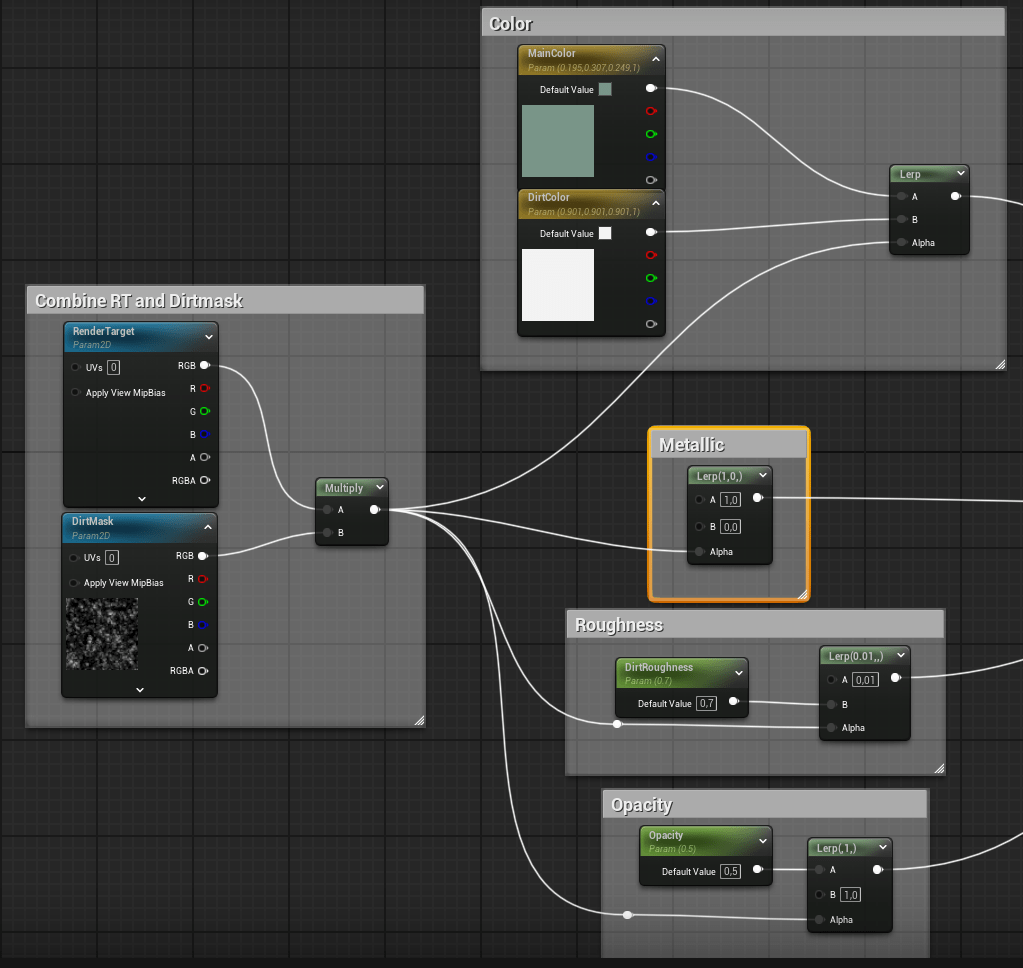
The shader itself is actually simple. We multiply our RenderTarget with a dirt mask and this gives us black values where it should be clean and white where it should be dirty. We use this value to lerp all important inputs for the shader. The base color is currently two values, one of which I colored, one that isn’t colored, because I remembered the whole game is black and white. The metallic, roughness and opacity are also lerped by the mask. Lastly, there is a value set for the refraction of the material.
Conclusion
I like how it turned out, and it has this weird therapeutic watching something get clean, and it’s fun in a sense. There are still problems with it, and an alternative approach would be to use decals. The upside would be that they can probably be controlled easier and it would be easier to measure how much percentage has been cleaned. The downside would be that they are probably more difficult to make look good
Here’s what’s still left to do:
- Make the player control the camera around the lighthouse instead of the lighthouse rotating to clean it
- Figure out a way to measure how much has been cleaned
- Make some feedback for when the player is cleaning
 My Shelf of Stuff