
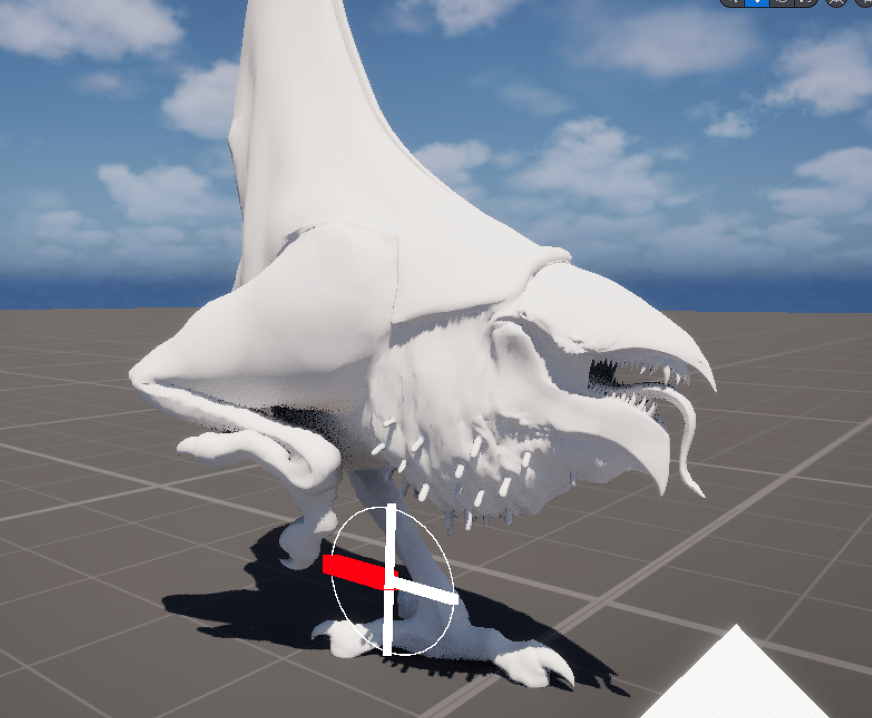
Long ago, a beautiful young man modelled a beautiful young chicken. You can see it here. I wanted to procedurally animate this, which never properly worked. That was back then in Unity. Now, years later, I am about to do it properly in Unreal. Hopefully properly.
Failed Starts
I started off trying to create some logic how the feet should be placed. The trouble pretty much always was which foot would move first. I wanted to create the same logic for both feet. That did not quite work. I worked with ideas like creating an invisible circle around the chicken, and when a foot is outside of that circle, it would need to move. However, that also just felt too random at times.
The Stridewheel
Then I remembered the GDC talk by procedural-animation-legend David Rosen, where he talked about using something like a surveyor wheel to figure out the distance the character has walked. Now, I have no idea why I started calling it a stridewheel, but I will continue to do so. The idea is to place an invisible wheel on the ground that “rolls” with how the character moves. One full rotation of the wheel means one walk cycle should be through. That means, the bigger the stridewheel, the slower the walk cycle.
Debugging
The math behind it is simple, you really only need to calculate the circumference of the wheel. But in order to create a visual debug wheel that rolls along with the character, I had to do a bit more complex math. It was important that it was clearly visible when one rotation was done, so I wanted one of the axes to have a different color. In order to do this, I used a standard debug circle which doesn’t rotate at all. Then four lines from the center outwards. One of those was going to be differently colored.
I created a function called GetPointOnCircle() which would take a normalized input (0-1) and place those along the circle. For our four points, those four inputs would be 0, 0.25, 0.5 and 0.75, which result in 90° angles.
So first order of the day was to create the circle itself using sine and cosine. Then rotating the circle with the character and moving it to the character. Since really only the circle is worth mentioning I left out the other two blocks in the picture.

This whole Stridewheel is a component of the chicken.
Calculating The Leg Strides
The calculation that was important now was to get the strides for the left and right leg from this stride wheel. We get a value that is moving up and up and up over time. Importantly, it increases by 1 precisely when one full rotation of the wheel is done. And, of course, it stops when the character stops.
We can first truncate this value so that we always get a nice value from 0-1. That is as simple as using a modulo with a value of 1. What we get is visualized in the following picture. The red line is our stridewheel value and the blue line is the truncated value.
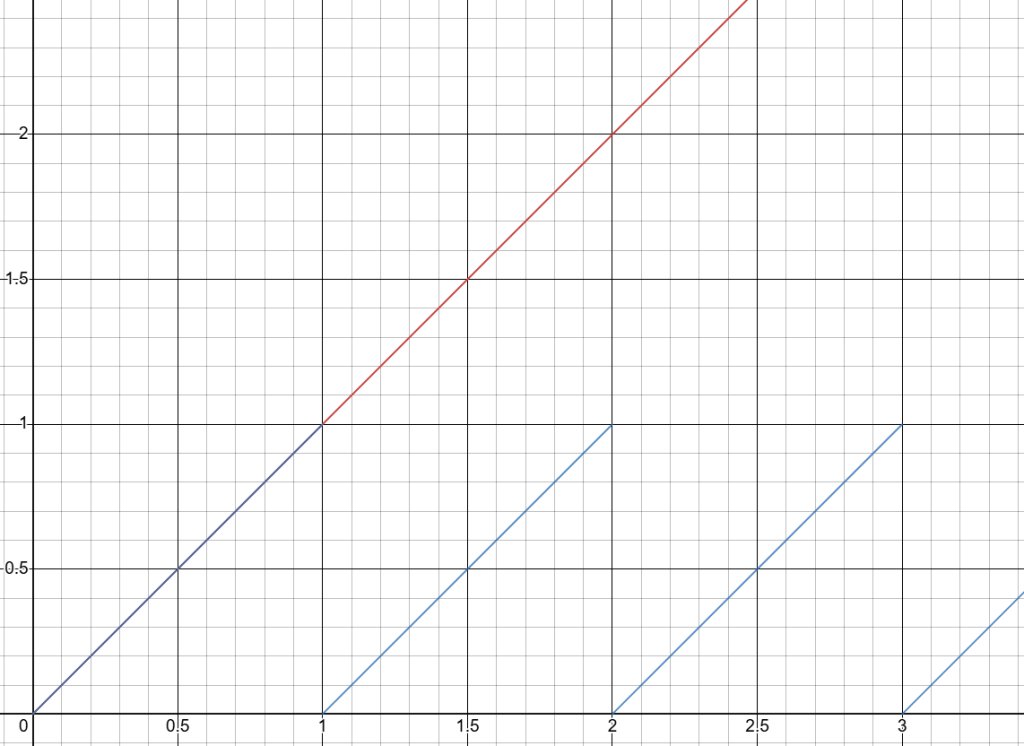
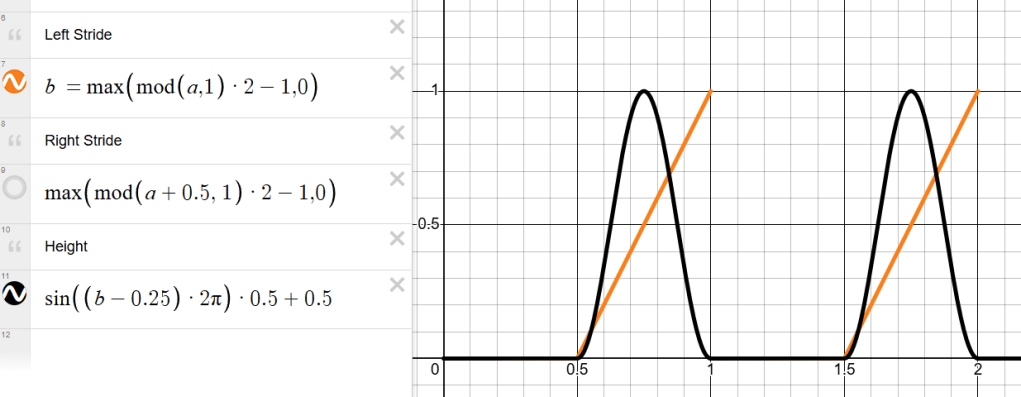
From this, we do a bit of fancy math, namely multiplying by two and subtracting 1 in order to bring the whole value into a -1 to 1 range. Capping this value at 0 leaves us with exactly what we want: The value stays 0 for half the stride, then moves linearly to 1 for the second half. The solution to do the same for the second leg, but with an offset? Simply add 0.5 before the whole calculation.

Now we have a value from 0-1 for each leg that are already perfectly offset and following the stridewheel.
Moving The Legs
After having set up the animation blueprint, I was ready to control the legs with a TwoBone IK, and the foot bone as well as all toe bones with simple Transform Bone nodes. The base logic is to do nothing and leave the foot in world position just as it is, when the stride value coming in is less than a very small number (basically checking if it’s zero).
If we’re in the half of the walk cycle where this leg is supposed to move, we get a value from 0 to 1. This value was used to lerp the X and Y position to the new desired position. Using again a bit of math, I transformed this into a smooth value going from 0 to 1 and back to 0 over the time the original value goes from 0 to 1. This can then be used for the height of the foot as well as controlling how much the toes bend.
Conclusion
The whole thing in action looks like this:
First of all, I haven’t touched anything yet outside of the legs. So there is a lot to still work on. But here’s what I want to improve anyway:
- The hips don’t yet move at all, which they should of course
- The stridewheel right now has a fixed radius, that radius should scale with the speed so that it can support different stridelengths with different speeds
- The legs wouldn’t be placed correctly on uneven terrain right now, for that I will need a more sophisticated system with some line traces
- The feet currently rotate along with the character. While in the air, that is perfect, but while on ground they should not rotate at all
 My Shelf of Stuff